

Accepting Payments with Google Pay in Google Forms
Google Pay is a fast, secure digital wallet that lets customers pay online using cards and bank accounts already saved to their Google account. With built-in security, Google Pay reduces friction at checkout and helps improve conversion rates—especially on mobile, where many users are already signed in and ready to pay.
With Payable Forms you can easily offer Google Pay by connecting your form to one of our trusted payment providers.
The Google Pay Checkout Flow
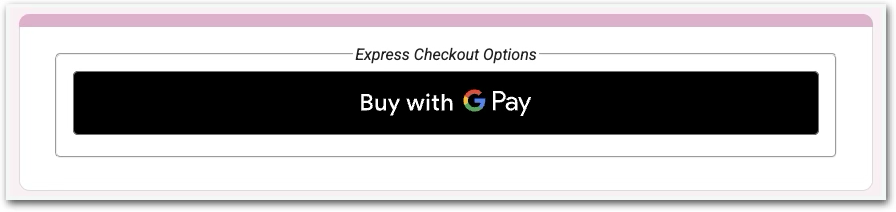
When a transaction is eligible for Google Pay an Express Checkout button will appear on the Payable checkout page, like so –
- Select Google Pay as the payment option at checkout.
- Authenticate using a fingerprint, face recognition, or device PIN.
- Confirm payment—Google Pay securely sends the payment to the merchant.
- Transaction completes without manually entering card or billing information.
Overall, it’s faster and more secure than typing in card details, with sensitive card information kept private.
Google Pay + Payable’s Payment Providers
Payable supports 5 secure payment providers: Stripe, Square, PayPal, Rapyd, and Razorpay, all of which support Google Pay. Availability can vary by country, currency, and account configuration so please refer to your chosen payment provider directly if you’re unsure about your eligibility.
The Benefits of Google Pay
By offering Google Pay through Payable, you give respondents a familiar, trusted payment option that:
- Speeds up checkout
- Works seamlessly on mobile devices
- Reduces manual data entry
All of which increase customer conversion. 📈
Whether you’re collecting event fees, donations, registrations, or orders, Payable helps you turn Google Forms into a powerful payment collection tool—with the convenience of Google Pay where supported.